

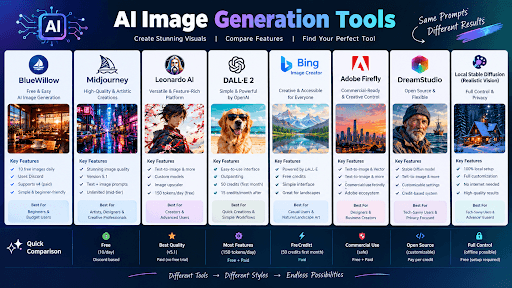
The best AI image generation tools tested hands-on, including BlueWillow, Midjourney, LeonardoAI, DALL-E 2, Bing Image Creator, Adobe Firefly, DreamStudio, and Local Stable Diffusion.
AI image generators compared across multiple categories including architectural facade, interior design, product photography, character portraits, and creative abstract scenes.
Midjourney and Bing Image Creator delivered the best results for architectural compositions, while LeonardoAI and BlueWillow excelled in creative and character portrait categories.
BlueWillow offers 10 free images daily and works inside Discord, making it a great starting point for beginners testing AI image generation.
LeonardoAI provides the most complete image generation platform with Text-to-Image, Image-to-Image, upscaling, Inpainting, Outpainting, and ControlNet Extension features.
Adobe Firefly includes Text-to-Vector, Text-to-Brush, Sketch-to-Image, Text Effects, and Generative Fill, with real parameters for aspect ratio, content type, style, color tones, lighting, and composition.
Best AI image generation tools, AI image generators, Midjourney vs DALL-E, LeonardoAI, Stable Diffusion comparison, AI art tools tested.
What Are the Best AI Image Generation Tools, Really?
best AI image generation tools
best AI image generation tools

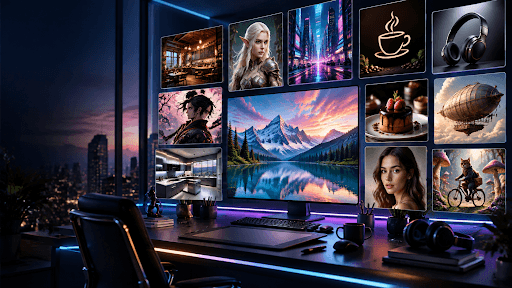
Testing 8 AI image generation tools hands-on to find the best picks.
If you're trying to figure out which tool actually deserves your time and money, here's what I learned after spending real hours testing each one myself. No theory, just hands-on results, plus the exact prompts I used so you can copy them straight into any tool and get similar output.
Table of Contents
BlueWillow
When I first opened BlueWillow, people kept calling it the free version of Midjourney, and honestly, that tag fits. You get 10 images every day for free, no strings attached. The catch shows up when you want v4: the newer engine, officially called version 4, feels noticeably sharper than version 3, and I noticed the jump the moment I ran a quick comparison between both. To unlock it, you'll need one of the premium plans; the cheapest tier runs about 5$ a month and hands you 50 generations per day, which is generous for the price. Everything happens inside a Discord server; you literally type your prompt into Discord and wait for the bot to reply. One real downside, though: there's no proper gallery view, so digging up an old image means scrolling through a chat table endlessly instead of a clean library.
Since BlueWillow works best with clear, descriptive prompts, here are two that consistently gave me solid results:
| Prompt |
|---|
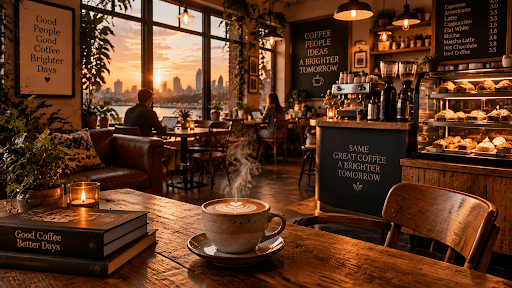
| A cozy coffee shop interior at sunset, warm lighting, wooden furniture, steam rising from a cup, photorealistic |
| Portrait of a fantasy elf warrior, silver armor, glowing blue eyes, detailed fantasy art, dramatic lighting |
If you just want to test the waters before you subscribe to something pricier, this is where I'd start.
Midjourney
Midjourney is still the name most people mean when they say "AI art," and it's the most popular tool in the room. I've been running version 5.1 for a while, and the image quality is genuinely outstanding, the compositions look like something a trained illustrator spent hours on. What I love most is treating it like a new way of sketching: start with a simple prompt, then keep layering new keywords on top to spin out alternatives, or drop in a reference image to blend styles together into something fresh. Sadly, free trials are gone now, so you're paying from day one. The cheapest subscription sits around 10$ a month, but I'd push you toward the middle tier, it's the only subscription tier with unlimited generations, and once you're hooked on churning out dozens of images a day, you'll want that breathing room.
Midjourney rewards detail and style references, so these two are worth trying:
| Prompt |
|---|
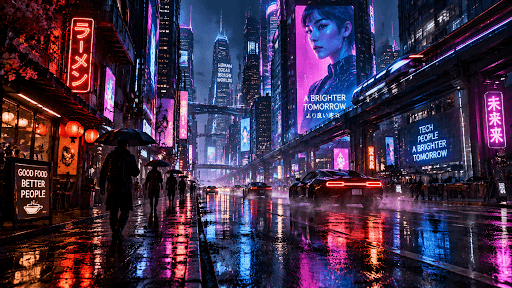
| Cyberpunk city street at night, neon reflections on wet pavement, cinematic lighting, ultra-detailed --ar 16:9 |
| Minimalist logo design for a coffee brand, flat vector style, earthy color palette, clean lines |
Keep an image as a reference, and you'll see how far your styles can stretch.
LeonardoAI
LeonardoAI was one of the new kids on the block when I got my invitation, and getting in wasn't instant. It ran on early access, so I sat on a waiting list for weeks before making an account on their website. Once in, the user interface felt genuinely clean. Under the hood it runs on Stable Diffusion, but the team has built dozens of custom models tuned for different styles, and if none of the popular models on the board match your taste, you can train your own models yourself or share custom model files with the community. It's the most complete image generation platform I've used; it covers Text-to-Image, Image-to-Image, an image upscaler, Inpainting, Outpainting, and a ControlNet Extension for tighter control. It's practically free: you get 150 tokens every day, stretching to roughly 100 images depending on your settings.
Because you can switch between custom models here, try these two to see the range:
| Prompt |
|---|
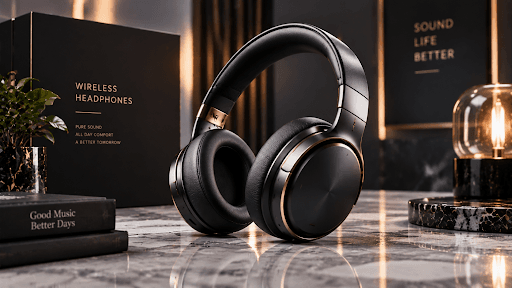
| Product photo of a sleek wireless headphone on a marble surface, studio lighting, commercial photography |
| Anime-style character, young samurai with a red katana, cherry blossoms falling, dramatic sky background |
Just type a prompt, pick a category, tweak a few features, and hit generate; you can even upload images of your own as a starting point. Genuinely promising stuff.
DALL·E 2
Dall-E 2 was built by OpenAI, and it still feels like one of the earliest true text-to-image models, a real competitor to everything else here, even now. This is officially the 2nd version of Dall-e, and it keeps things stripped down: a simple user interface where you just sign up, type text, and hit generate. There are no fiddly parameters or settings to fight with. Your first month gives you 50 credits, meaning 50 generations, but after that it drops to 15 per month, a steep fall. I mostly used it for its outpainting feature, letting me extend image borders and add more context to a scene, though these days Photoshop Generative Fill honestly does that job better, so plain outpainting here feels a bit dated now.
Dall-e 2 handles simple, clear descriptions best, so keep prompts direct like these:
| Prompt |
|---|
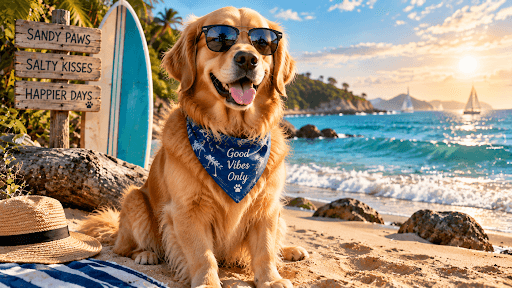
| A golden retriever wearing sunglasses, sitting on a beach, digital art |
| A futuristic kitchen with holographic controls, bright natural light, clean design |
Bing Image Creator
Think of Bing Image Creator as the big brother of Dall-e 2; it's literally powered by the DALL·E model, but through Bing you get an updated version with better output. I noticed a huge difference right from the first image I generated, and it's completely free. It only handles straight text-to-image work for now, so if you're hoping for inpainting or outpainting controls, you won't find them. You can scroll back through your recent jobs on the side panel, though—a small but handy touch.
Since it's free with no limits to worry about, it's great for quick experiments like these:
| Prompt |
|---|
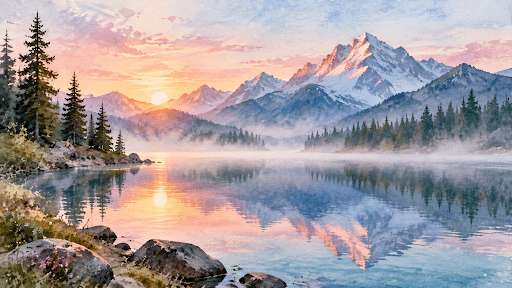
| A watercolor painting of a mountain lake at dawn, soft pastel colors, peaceful mood |
| Realistic photo of a chef plating a gourmet dessert, close-up shot, restaurant lighting |
Adobe Firefly
Adobe Firefly landed in March, tucked behind a closed beta; you had to apply and wait, the classic beta version routine. Once inside, no extra Adobe subscription was needed, and the tool packs in far more features than plain text-to-image: there's Text-to-Vector, Text-to-Brush, Sketch-to-Image, Text Effects, and Generative Fill stacked on top of the usual generator. The user interface feels clean and fast, and it hands you real, ready parameters instead of guesswork; dial in Aspect Ratio, Content Type, Style, Color Tones, Lighting, and Composition before you even write your prompts. It plugs straight into other Adobe software too; I grabbed the Photoshop Beta version just to run Photoshop with Firefly built right in.
Since Firefly gives you control over composition and lighting sliders, these prompts work well to test that:
| Prompt |
|---|
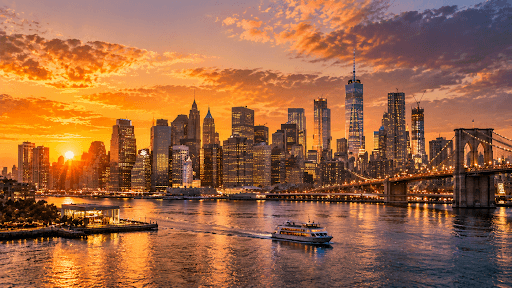
| A city skyline at golden hour, wide aspect ratio, warm color tones, cinematic composition |
| A hand-drawn style illustration of a fox in a snowy forest, soft lighting, storybook art style |
My one gripe is the missing gallery view; there's no record of previous generations, so if you forget to save the image or download it on the spot, it's gone for good.
DreamStudio
DreamStudio is the official home of Stability AI, the developer behind Stable Diffusion itself, so it felt like the 7th platform I should trust most out of everything I tried. It runs on a token-based pricing system: open an account, and you're handed 100 free credits right away, good for roughly 500 images on the default settings. You get 3 main models to pick from, but I went straight for the SDXL model over the older 2.1 version, since it's the latest training model they've released. Compared to running a local version like Automatic 1111 on your own machine, DreamStudio is noticeably fast and easy to use, and the ready-made style presets save a lot of time versus typing out long text descriptions every single time.
Since the SDXL model handles detail well, these two prompts show off what it can do:
| Prompt |
|---|
| Highly detailed portrait of an old fisherman, weathered skin, ocean background, natural lighting, photorealistic |
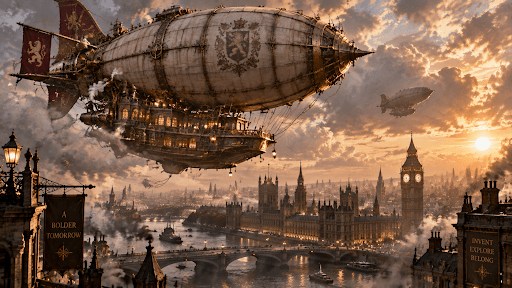
| A steampunk airship flying over a Victorian city, intricate mechanical details, dramatic clouds |
Local Stable Diffusion (Realistic Vision v2.0)
Running Stable Diffusion locally on my own device is, without question, the most complex option on this whole list, not something I'd hand to a total beginner. But it's also the one with the deepest control and the widest range of customizable options, and because it's open source, the community keeps shipping fresh extensions and developments almost daily. My favorite model here is Realistic Vision v2.0; I generated everything at a 1:1 square ratio, sized at 1024 x 1024 pixel size, purely for a fair comparison against the other tools. It took my computer around 2-3 hours to finish 100 images, which really depends on your hardware. Best part: it's completely free and needs zero internet access once it's set up.
Realistic Vision shines with photorealistic subjects, so these are worth running once you're set up:
| Prompt |
|---|
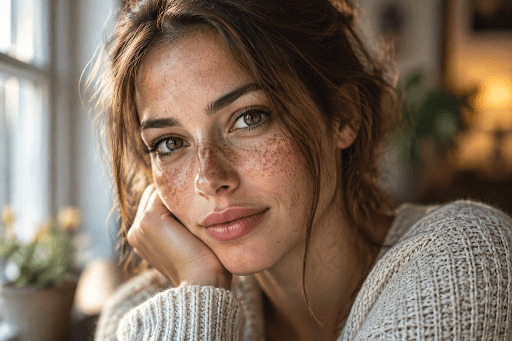
| Close-up portrait of a woman with freckles, natural skin texture, soft window light, photorealistic, 85mm lens |
| A cozy cabin in a snowy forest at night, warm glowing windows, smoke from the chimney, photorealistic |
Facade
Here's the exact prompt I used across every tool for this category:
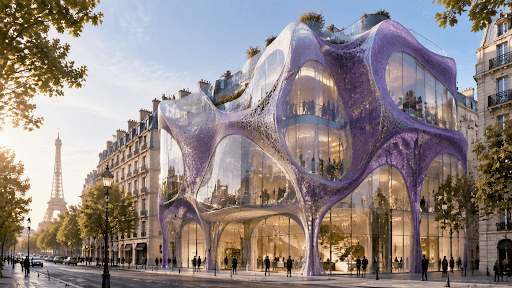
Prompt Used
A wide elevation shot of a facade made of plexiglass and purple soft material in Paris, complex facade with translucent material, inspired by Gaudi, clear sky, early morning light, archidaily photography, architecture photography
For the Architectural Facade category, none of my images were edited or upscaled, what you see is straight out of the tool, and for Leonardo AI specifically, the output landed somewhere in the middle. BlueWillow, DreamStudio, and Dall-e came out as the worse ones here, while Midjourney and Bing gave me the best images, both nailing the composition and staying close to the prompt's relevance. These are just my personal reactions and opinions based on the results of a small experiment, not a final verdict on any tool.
Interior
For this one, I typed:
Prompt Used
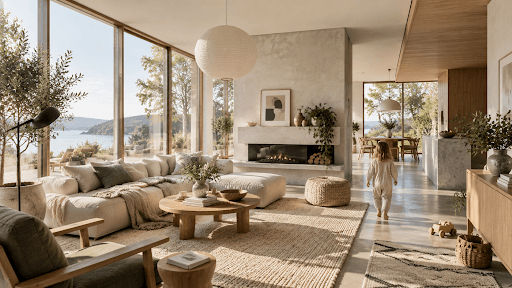
A wide interior shot of a Scandinavian-inspired living room with light-colored furniture, natural textures, large windows with natural light, green plants, a kid walking away, archidaily photography
The interior design prompt leaned into a classical style, or maybe a popular style is the better way to put it, which meant most of the images shared similar vibes across every tool. There was a tricky kid keyword hidden in the prompt too—the whole kid walking away idea—and Bluewillow, DreamStudio, Leonardo AI, and Stable Diffusion all just ignored it completely in this category. Dall-e, on the other hand, gave me a strange but lovely flying basket, honestly the best result I got from it all day. Midjourney still won me over with a striking arch window and fine timber details, plus a high-contrast image built on a darker color palette, while Leonardo AI answered back with a high ceiling design and rows of large plants filling the room.
Product
The prompt behind this round was:
Prompt Used
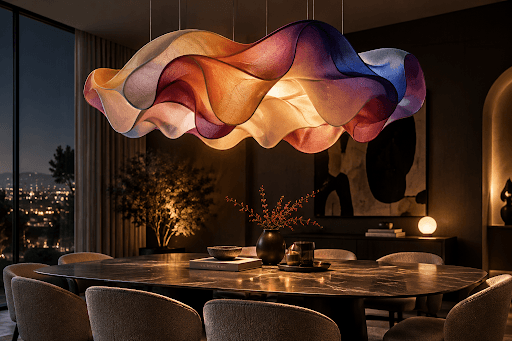
Product shot of a complex lighting design, made of colorful soft material, hanging ceiling over a dining table, soft light, smart light, dark room, ray tracing reflections
When it came to product design, my real goal was building inspirational material, a kind of mood board for a complex lighting design, so I leaned more on the creativity factor than raw image quality or composition. Picking just one winner from Midjourney was brutal, since nearly every result felt strong enough to keep. Bing and Dall-e swung more creative and abstract than the rest, and honestly, I liked that unexpected energy too.
Character Portrait
Here's the prompt I fed every tool for this test:
Prompt Used
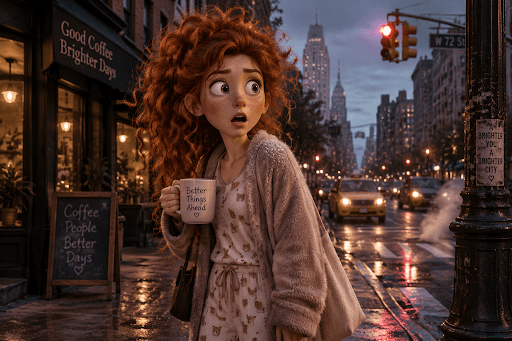
Cartoonish 3d character, woman standing in the street with a surprised expression, curly red frizzy hair, wearing pajamas, holding a coffee mug, dark muted tones, traffic lights
For Character Portraits, the results were flat-out amazing from both Midjourney and BlueWillow. Adobe Firefly held its own too, though its style leaned a touch too cartoonish for my taste. And a few outputs from Realistic Vision? Genuinely creepy, in a way I didn't expect.
Creative
And for the last round, the prompt was:
Prompt Used
Abstract scene of a cat riding a bicycle through a forest of oversized mushrooms, vibrant colors and a dreamlike atmosphere
The Creative category was the toughest call of all, except for Dall-e and Bing, which just didn't land for me. Leonardo AI and BlueWillow blew me away here, genuinely stunning images across the board. Leonardo AI again leaned into that high-contrast, dark-theme look I keep gravitating toward, while Realistic Vision pulled off a strangely photorealistic scene full of neon light mushrooms and a glowing path leading away into the distance.